Data
Data elements in BPMN and Studyflow
The underlying standard for Studyflow, BPMN, is primarily designed for modeling processes, but also includes generic constructs for representing data within workflows. It uses Data Object and Data Store to represent elements that contain or manage data. These elements can be connected to activities as inputs or outputs using data association edges.
DataStore / DataStoreReference BPMN
Persistent storage of data that can be accessed across multiple process instances. For example, a database or file system. DataStoreReference is the visual element used to point at a DataStore. Studyflow refines this concept with DataStorage (physical store) and Dataset (logical collection); both are rendered as data store references.
DataObject / DataObjectReference BPMN
Represents data that is used or produced within a process instance. It can be thought of as a document, file, or any other piece of information that flows through the process.
DataObjectReferenceis the visual reference used to point at aDataObject. Studyflow extendsDataObjectReferencewith an optionalstateannotation (e.g.raw,processed,validated).- State annotations describe the condition of a data object at a specific point in a process. For example, “trial data [raw]”, “trial data [processed]”.
DataAssociation BPMN
Connects data to other workflow elements, such as tasks or events. Indicates the flow of data into and out of these elements. Note that this is data flow, which is distinct from the process flow itself.
Studyflow refines BPMN to better match common practices in data-centric workflows, including specific data structures and operations commonly used in data processing.
DataCatalog STUDYFLOW
A persistent registry of datasets that can be referenced across multiple process instances (e.g., openneuro or behaverse catalogs). Carries a url.
DataStorage STUDYFLOW
Persistent physical storage of data (database, filesystem, object store, etc.). Maps to bpmn:DataStoreReference. Use it to denote where the bytes actually live, separately from the logical Dataset that organizes them.
Dataset STUDYFLOW
A logical collection (possibly multi-table, multi-modal) registered in a DataCatalog and stored in a DataStorage. Carries an optional schema, a format (bdm, bids, psych-ds, kedro, undefined), and format-specific properties (bdmDataLevel for BDM; bidsDataType for BIDS).
Schema STUDYFLOW
A formal description of the structure of a named collection of types. For tabular data, column definitions (column names, data types, units, constraints) – typically authored with CSVW. For non-tabular data, dimensions, data types, and other relevant metadata (e.g. LinkML, JSON Schema). Carries a format identifier and an inline body (or a URL/path to the schema definition).
Array STUDYFLOW
A multi-dimensional array/tensor structure for non-tabular data (e.g., tensors, images, videos, fMRI data). References a parent dataset and a schema describing dimensions, types, and units.
Snapshot STUDYFLOW
An immutable version of a dataset or an array. Snapshots are typically associated with a specific point in the workflow or a version control commit. Carries a source (the dataset/array identifier) and a version (tag, checksum, or commit hash).
In summary, DataStorage is a physical/persistent store (database, filesystem, S3 bucket, etc.), DataCatalog is a registry of datasets (potentially across multiple stores), Dataset is a logical collection, and Array is a concrete tensor-like component. Tabular structures within a dataset are described by a CSVW Schema rather than a dedicated Table element.
Also note that, while experimental data is generally assumed to be tabular, Dataset supports other data types (i.e., DataObject or Array, including images, videos, brain imaging, and raw sensor recordings).
Data operations
Data operations are studyflow-specific markers to describe how data is manipulated as it flows through the process. An operator can be implemented as a usual BPMN task (e.g. script task or service task), and the operator marker serves as a semantic annotation indicating that the task is performing a specific type of data transformation. This is derived, not stored: a step counts as a data operation when it names a data verb (operationType) or runs software (implementation) without being a participant-facing instrument. The arguments mapping comes from the abstract Arguments trait, and the operation’s inputs and outputs are auto-detected from the data association edges drawn on the diagram.
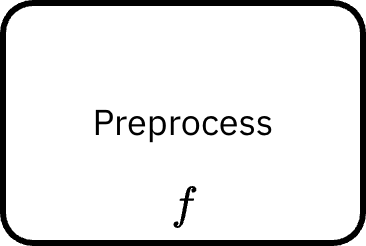
Specialized data operations
Inspired by higher-order functions in functional programming, data operations can be further categorized based on their behavior and the type of transformation they perform. The following are common types of operations represented in Studyflow’s DataOperationTypeEnum. Note that these are advanced and optional; the generic data operation marker can be used for any data transformation without needing to specify the type.
transform \(f\)
Applies a specified transformation to the input data, producing a new dataset as output. This is the generic form of data operations and can be specialized into more specific operations (see below). A transform represents a pure function that takes one or more data as input and produces a data output.
map \(f\)
Applies an element-wise function to each item in the input.
filter \(f\)
Selects a subset of data based on specified criteria. Used for conditional selection (1 → subset(1)). The difference between filtering and data-driven gateways in BPMN is that filtering changes the dataset, but gateways change the control flow. They are complementary.
reduce \(f\)
Aggregates data by applying a function that combines multiple input values into a single output value. Used for summarization or joining operations (N → 1 per group or for the entire dataset).
group \(f\)
Organizes data into groups based on specified attributes. Used for categorization and clustering (1 → G groups). It changes the data structure to a grouped format.
compose \(f\)
Combines multiple data operations into a single complex pipeline. Used for modularity and reusability.
flatMap \(f\)
Similar to map, but flattens the resulting data array into a single output array. Used for one-to-many mappings (1 → N). Relevant to unnesting in data wrangling libraries.
Batch vs. Streaming
Some operations are stateless (map, filter) and works best for batch processing, while others are inherently stateful (reduce, group) and may require special handling for streaming data.
Example
The following example illustrates the use of data elements and operations within a research workflow to collect and analyze response times from a 2AFC cognitive task. The data analysis pipeline is encapsulated within a subprocess for clarity.
View example code
Study RTAnalysis

  StartEvent s
  EndEvent e

  DataCatalog behaverse
    url "https://behaverse.org/catalog"

  DataStorage ducklake
    # kind hint kept in documentation; physical store of bytes
    documentation "duckdb+parquet at s3://behaverse/rt/ducklake"

  Dataset trials_raw
    catalog behaverse
    storage ducklake
    format bdm
    bdmDataLevel trials
    schema "schema/trials_raw.csvw"

  Dataset trials_summary
    catalog behaverse
    storage ducklake
    format bdm
    bdmDataLevel models
    schema "schema/trials_summary.csvw"

  Activity CollectTrials
    @type CognitiveTask
    instrument psychopy

  SubProcess RTAnalysisPipeline
    StartEvent sub_s
    EndEvent sub_e

    # internal data objects (scoped to subprocess)
    DataObject trials_in
    DataObject trials_out

    # outer data associations: connect external datasets to internal nodes
    dataInputAssociation
      sourceRef trials_raw          # external
      targetRef trials_in           # internal name
    dataOutputAssociation
      sourceRef trials_out          # internal name
      targetRef trials_summary      # external

    Task t1
      inputs [trials_in]
      outputs [trials_out]
      @op compose
        transform
        filter
        map
        group
        reduce

    SequenceFlow sf1 sub_s -> t1
    SequenceFlow sf2 t1    -> sub_e

  SequenceFlow f1 s                    -> CollectTrials
  SequenceFlow f2 CollectTrials        -> RTAnalysisPipeline
  SequenceFlow f3 RTAnalysisPipeline   -> e
This is roughly equivalent to:
trials_summary <- trials_raw |>
  filter(correct == 1) |>
  mutate(
    log_rt = log(rt),
    rt_z   = (rt - mean(rt)) / sd(rt)
  ) |>
  group_by(agent_id, condition) |>
  summarize(
    rt_mean = mean(rt),
    rt_sd   = sd(rt),
    .groups = "drop"
  )
Planned updates
Timeseries,Eventdata structures for multi-dimensional physiological and behavioral data.transformTables: Special case oftransformthat applies a series of transformations to tabular data, such as adding, removing, or modifying columns. The result is one or more new tables based on the specified transformations (1+ tables → 1+ tables).loadData,saveData,exportData: storage operations (loading from and saving to catalogs, stores, and files). Note that, data operations are pure and side-effect free. I/O and external systems are handled by dedicated elements.anonymizeData,validateData,controlAccess: data governance and regulatory compliance operations (de-identification, validation, data cleaning, and access control).Stochastic operations (e.g., sampling, bootstrapping).
Canonical data-wrangling operations (mirroring tidyverse functionality but expressed at workflow level):
splitData(e.g., train/validation/test splits).cleanData(e.g., handling missing values, outliers).- Join/merge operations for relational integration.
sort,arrange,selectColumns,renameColumns,pivot,select,mutate,summarizeas specializedtransformTablesvariants.